Your eBay stock
Moving from another system or an eBay agency? Connect your eBay account and everything already on it appears in BreakerHQ, pulled straight from eBay. Nothing to re-type, nothing to re-list. Each listing gets a grade and the one change most likely to sell it.
- Connect your eBay account
Settings → eBay connection → tap Connect your eBay account and sign in on eBay's own page. Any plan. Within a few minutes BreakerHQ reads every live listing on the account, including the ones another system or an agency put up.
- Open Stock
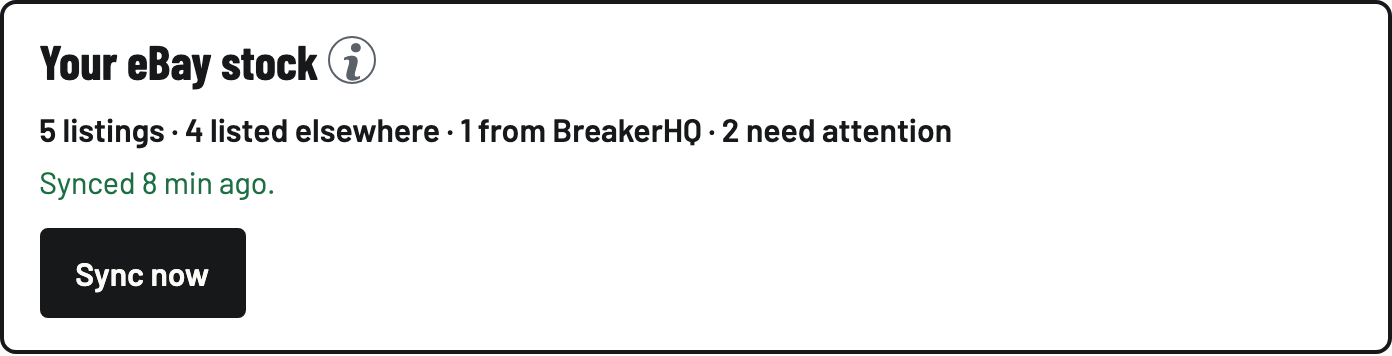
Tap the eBay button under the logo, then Stock. The top line counts your listings: how many are from BreakerHQ, how many are listed elsewhere, how many need attention, and when it last synced.
- Read a row
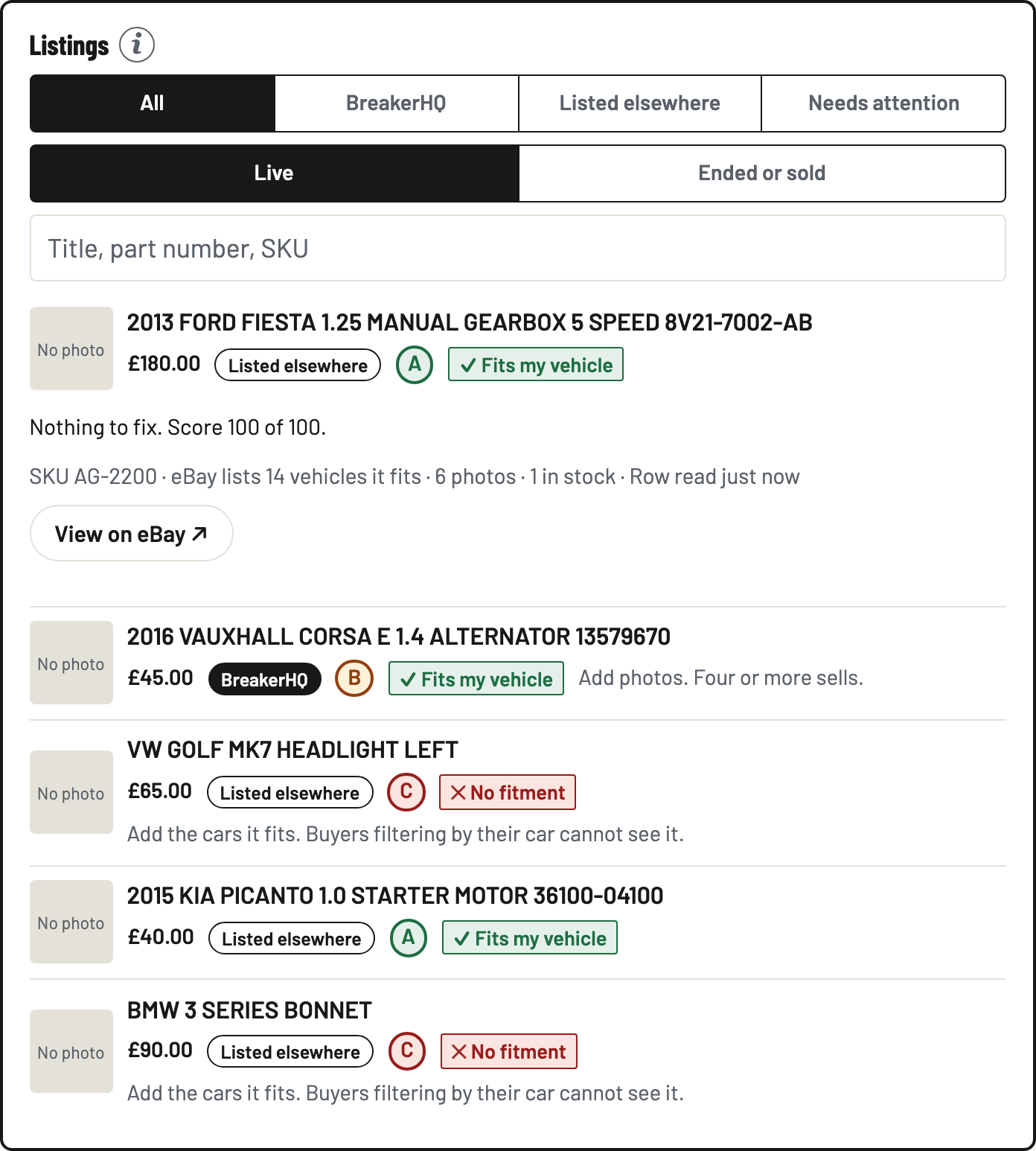
Each row shows the price, who listed it (BreakerHQ, or Listed elsewhere), a grade from A to C, a green tick when eBay shows buyers that it fits their vehicle or a red cross when it does not, and the one fix worth doing first. Fitment weighs the most: a listing that says which cars it fits appears when buyers filter by their car. Tap the title for every fix, the photos and a link to the listing on eBay.
- Filter and search
Needs attention shows only the C grades. Listed elsewhere shows what came from another system. Ended or sold shows what has left eBay. Type three letters of a title, a part number or a SKU to search the whole account.
- Sync now
Stock syncs itself once a day and the moment eBay tells BreakerHQ a listing changed or sold. Tap Sync now after a big change on eBay. It is read-only: nothing here changes a listing. Ending and repricing from BreakerHQ come next.