Invite your team and set roles
The gate tablet gets a gate account. The office gets admin. The parts lad gets eBay only. Everyone works under their own name, so the audit trail always says who did what.
- Open the Members tab
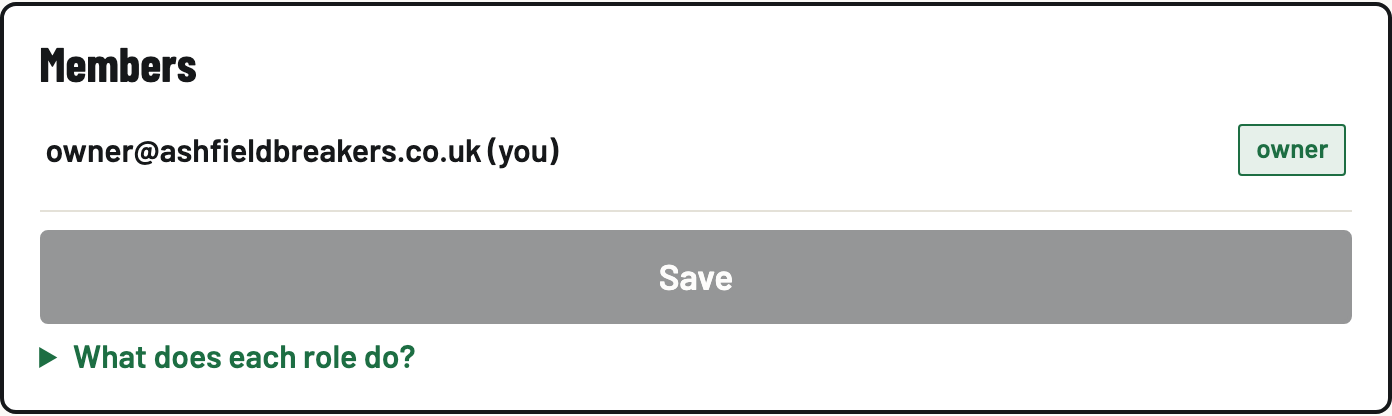
The roster shows everyone in the yard with their role and email. You'll see (you) next to yourself.
- Pick a role
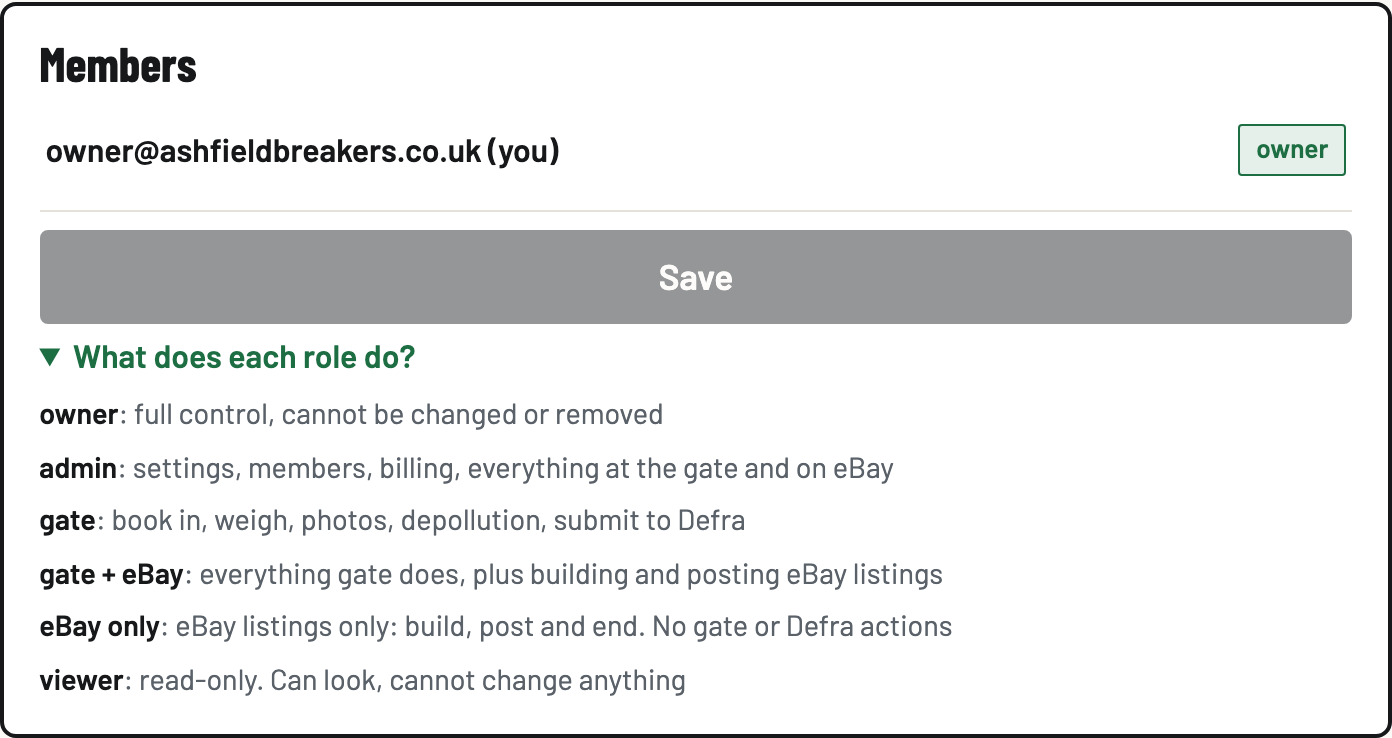
Under Invite someone, choose what they'll do: gate (book vehicles in and work the compliance flow), gate + eBay, eBay only (listings, nothing legal), viewer (read-only) or admin. Not sure? Tap What does each role do? (it explains every one in plain words).
- Create the invite and send the link
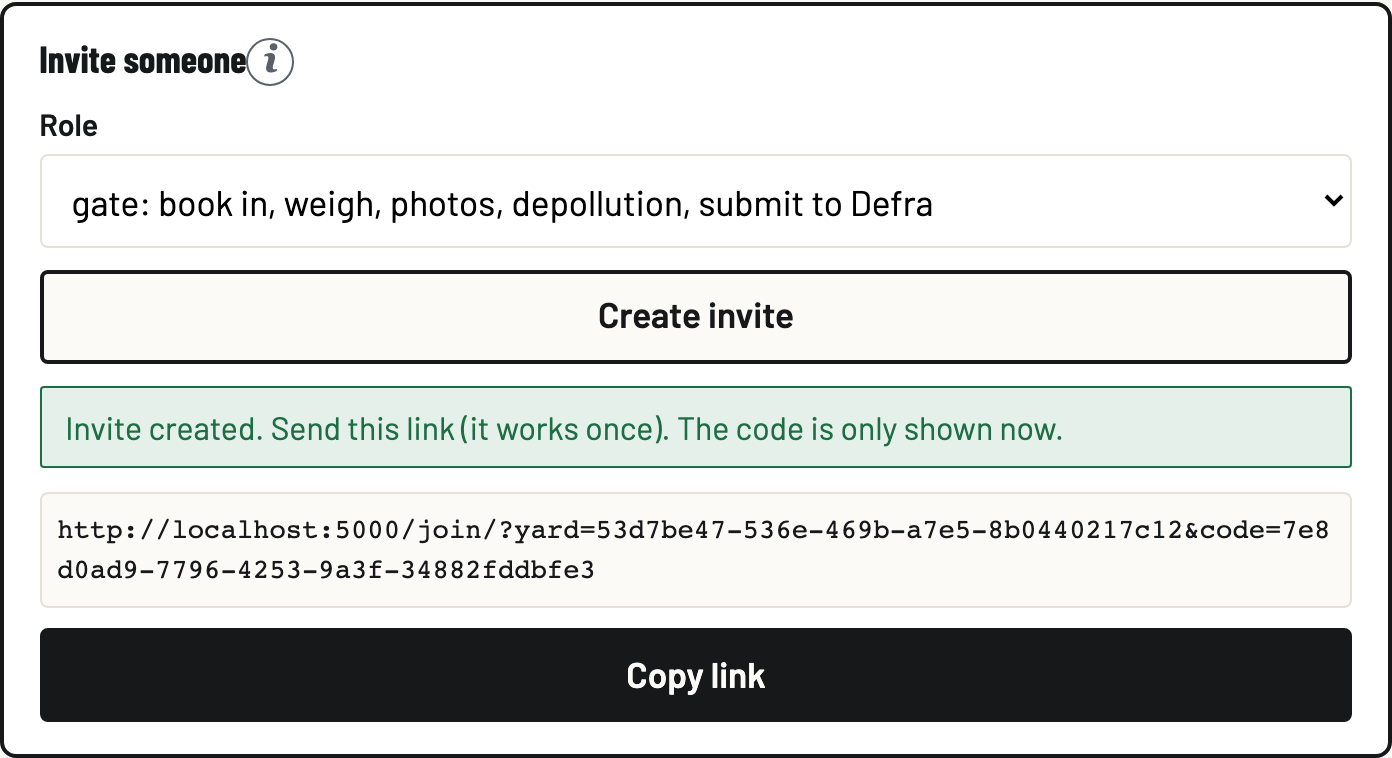
Tap Create invite. You get a link that works once, and the code is only shown now, so copy it straight away and send it on WhatsApp or text. Your colleague opens it, creates their account, and lands in your yard with exactly that role.
- Change roles or remove people later
Pick a new role from the dropdown next to a member and save. Remove takes someone's access away. Their past records stay on the audit trail, attributed to them. That's deliberate: compliance history never loses its author.
No work emails? One free Gmail covers the whole yard
Every member needs their own sign-in email, but nobody needs their own inbox. Gmail delivers mail for every variation of an address with a + in it to the same inbox: johnsyard+gate@gmail.com and johnsyard+steve@gmail.com are different BreakerHQ sign-ins, but all their email lands in johnsyard@gmail.com.
- Create one free Gmail account for the yard, for example johnsyard@gmail.com.
- Sign up to BreakerHQ as the owner with that address.
- When you invite someone, they create their account at your invite link using a plus address you give them: johnsyard+gate@gmail.com for the gate tablet, johnsyard+steve@gmail.com for Steve. Any word after the + works.
Why owners run it this way:
- Every email comes to you. The confirm-your-email link when an account is created and every password reset land in the one inbox you control.
- You stay in charge of access. Someone forgets a password or leaves, and the reset link only ever reaches your inbox.
- As many as you want, free. A plus address is not a second Google account. Make one per person or per station whenever you need it.