Book a vehicle in at the gate
A car arrives on a truck. Thirty seconds later it's booked in, the waste receipt is coded, and the yard is legal. Here's the whole flow. Do it on the gate tablet with the driver still there.
- Enter the registration
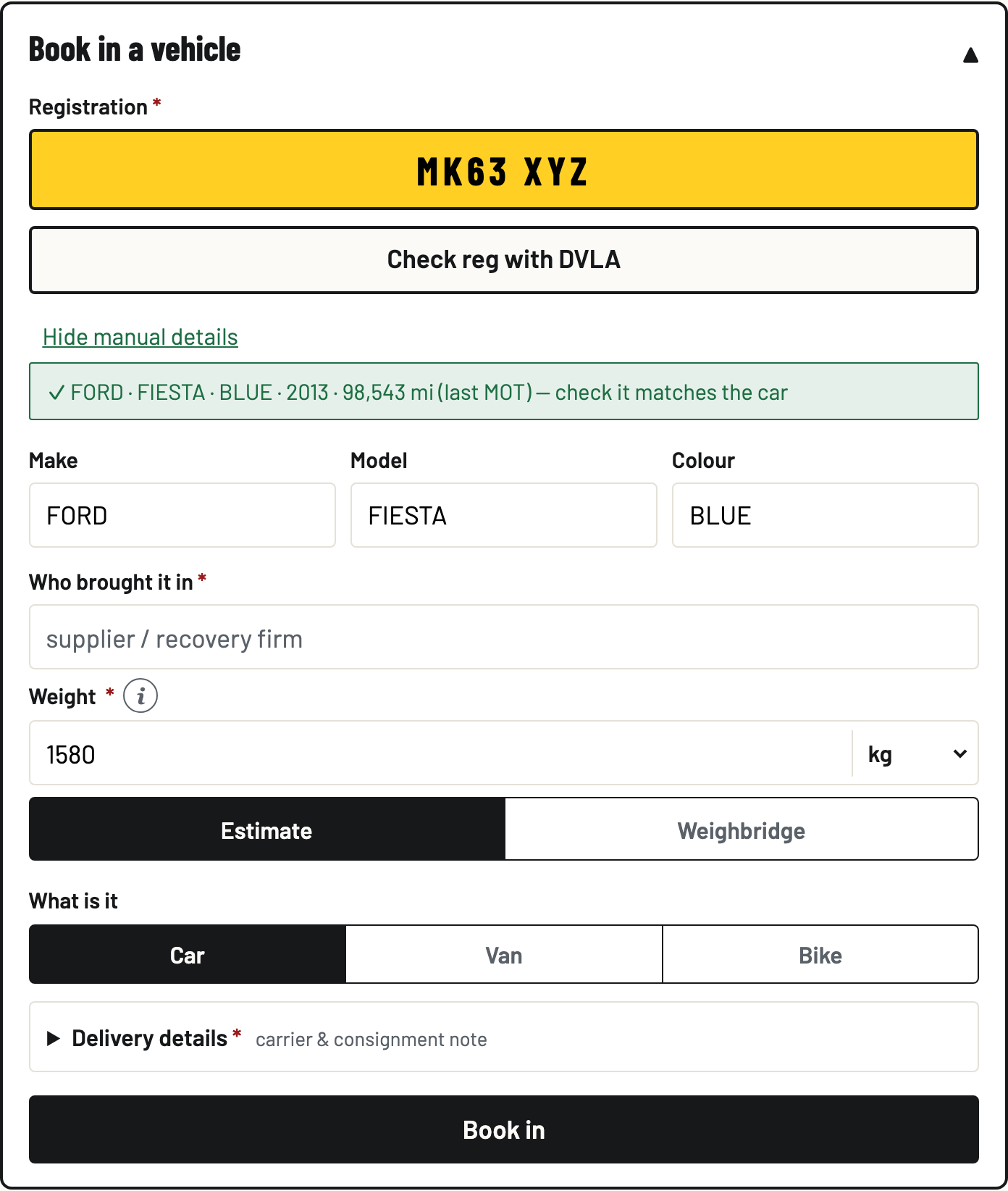
On the Gate tab, in Book in a vehicle, type the reg and tap Check reg with DVLA. Make, model and colour fill in, and DVLA's weight lands as the estimate. Check the green line matches the car in front of you. No signal, or no match? Tap Enter details manually and type them in.
- Say who brought it in
Type the supplier or recovery firm under Who brought it in. Repeat suppliers are remembered: next time you start typing, their last delivery details prefill and you just check them.
- Record the weight
Enter Weight kg and pick Estimate or Weighbridge. The receipt records which it was, so an estimate is fine at the gate.
- Add the delivery details
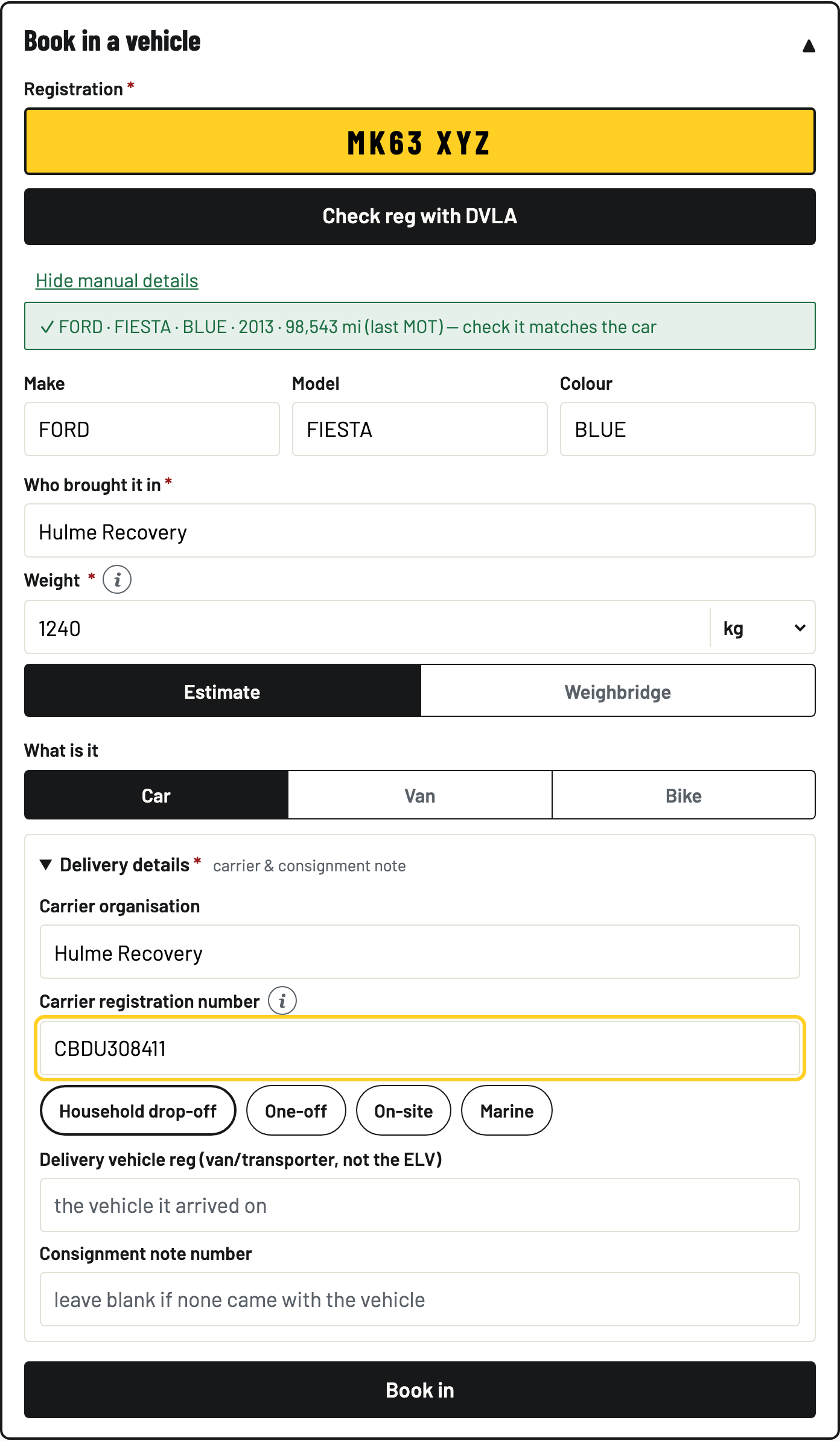
Open Delivery details. The carrier organisation is prefilled from the supplier. Change it if someone else drove it in. Enter their Carrier registration number (it looks like CBDU123456). No number? Tap the reason instead: Household drop-off, One-off, On-site or Marine. Defra accepts either, and the reason is recorded on the receipt.
Recording a vehicle late? Tick It arrived earlier and set the real arrival. Defra's two working day deadline counts from that, not from today, and the receipt shows the true arrival.
- Book it in
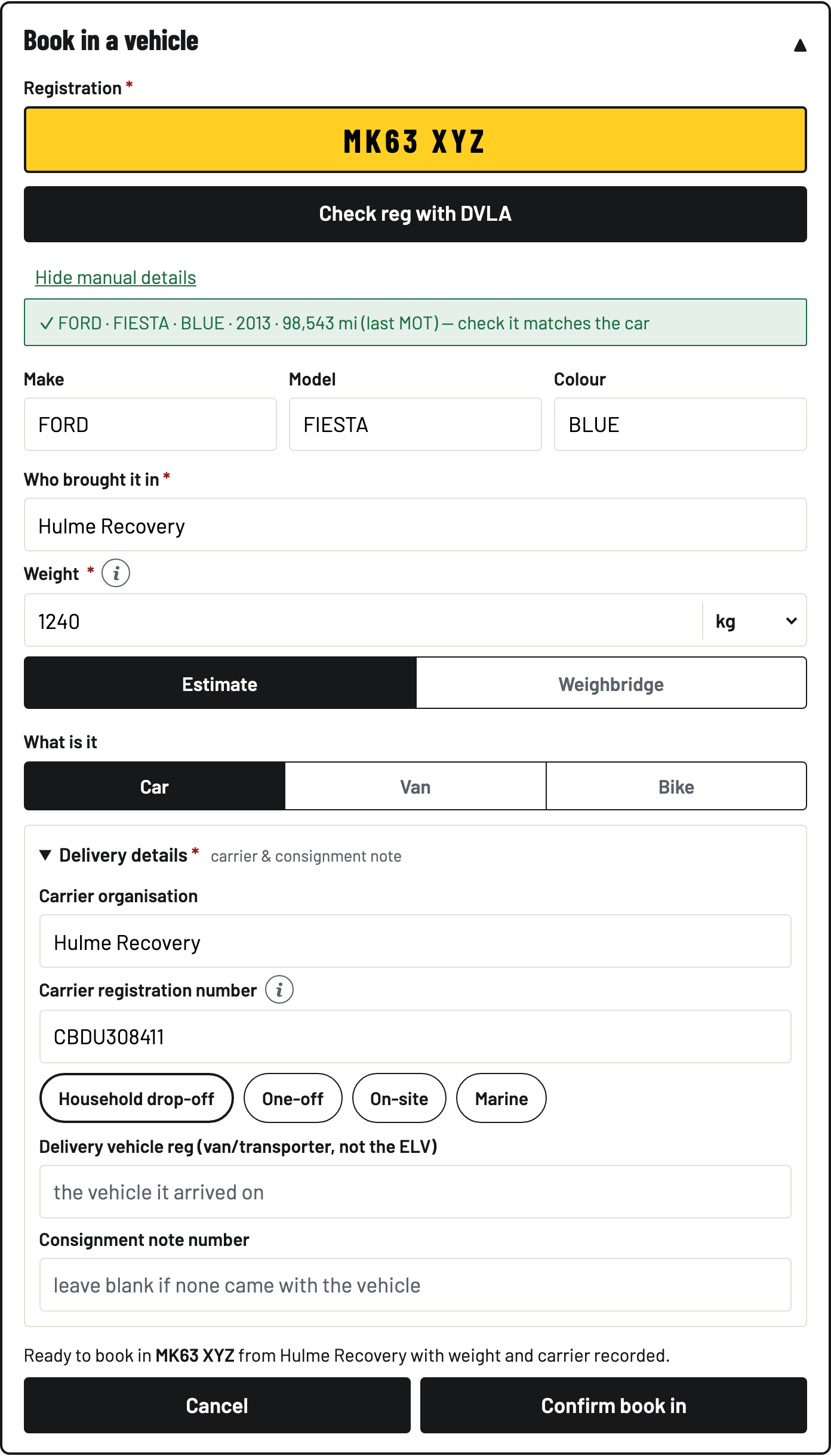
Tap Book in, read the one-line summary, and tap Confirm book in. That's the legal moment: the waste receipt is coded automatically: an arriving ELV is hazardous waste, EWC 16 01 04*. Skipped the weight or carrier? BreakerHQ asks first, books it in anyway if you say so, and you can add them on the vehicle before it goes to Defra.
- Find it in Recent vehicles
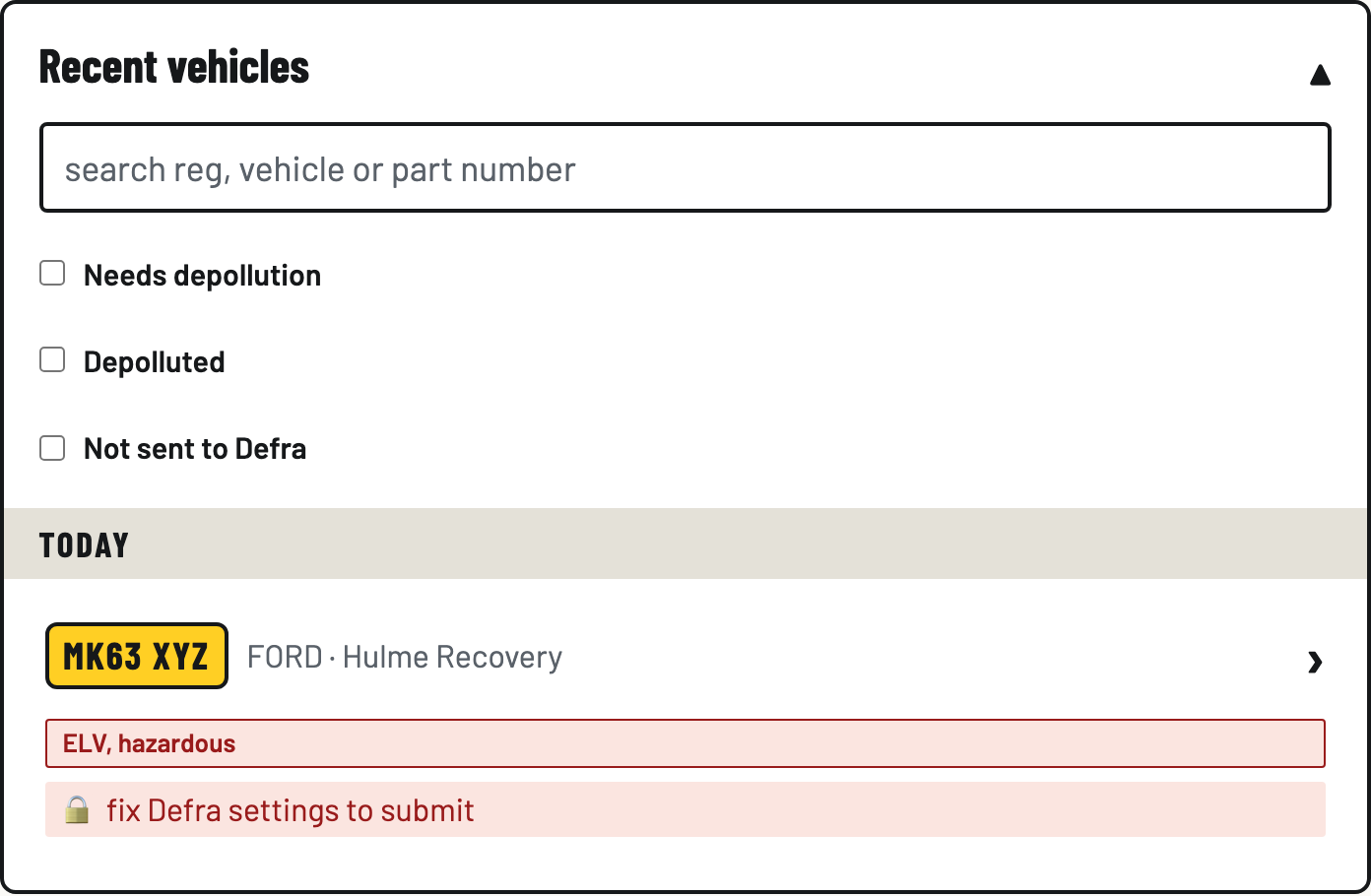
The car appears under Recent vehicles with its ELV (hazardous) badge and a Submit to Defra button. Tick Needs depollution, Depolluted or Not sent to Defra to filter, or search by reg or make.
No signal? Carry on.
The gate doesn't need the internet. Book-ins queue on the tablet. The row shows waiting for signal… and the sync badge counts what's queued. When signal comes back, everything sends itself and the badge settles to synced. Nothing is lost, nothing needs re-typing.