Send the waste receipt to Defra
Booking in codes the receipt. This sends it. The receipt is due with Defra by the end of the second working day after the car arrives, so a car in on Monday is due by the end of Wednesday. It does not wait for depollution, so send it the day the car comes in and you are never near the line.
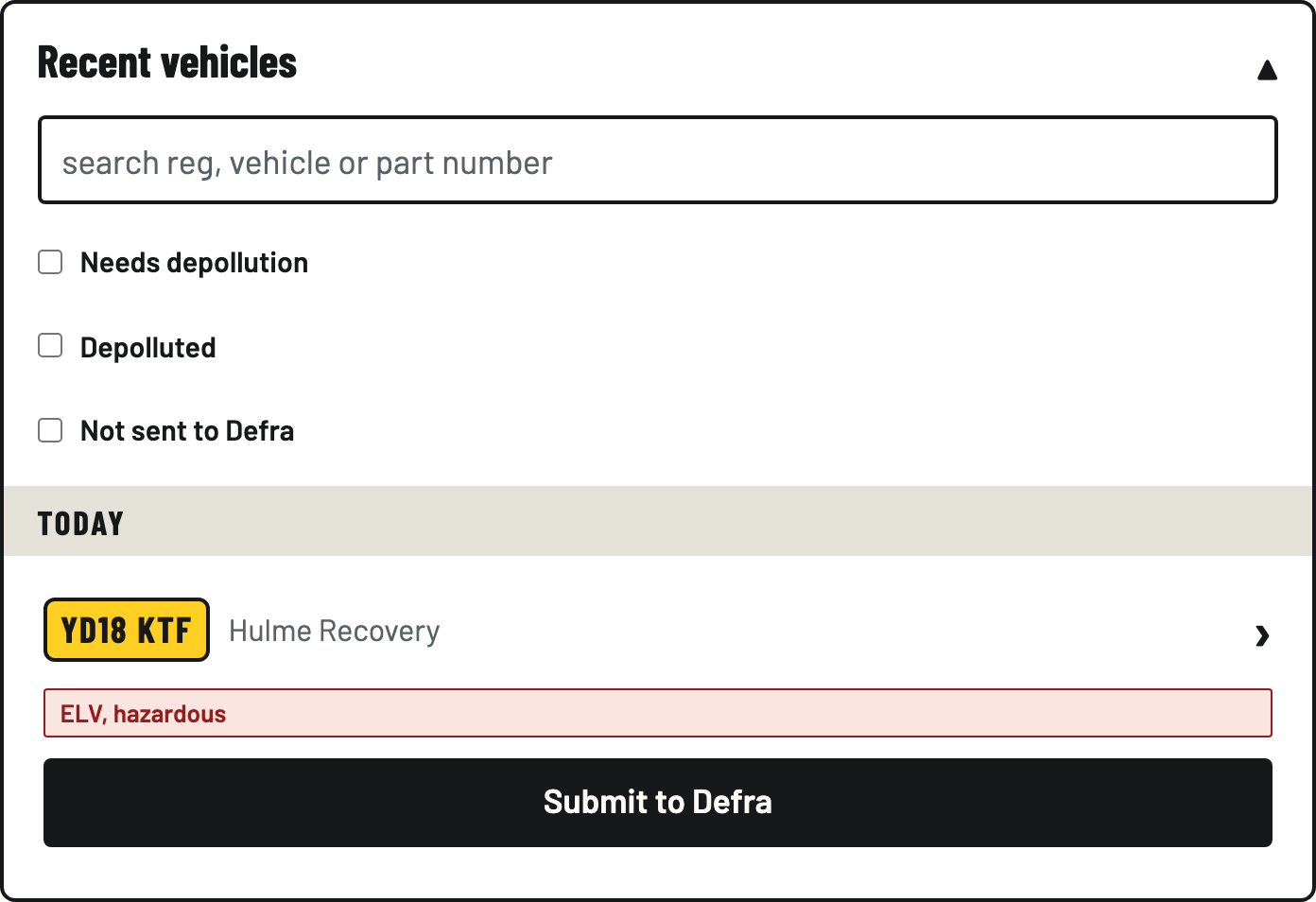
- Tap Submit to Defra
In Recent vehicles, every car that hasn't gone yet has a Submit to Defra button. Tap it, then tap Send to Defra to confirm. It asks because this files a legal record.
- Watch the status explain itself
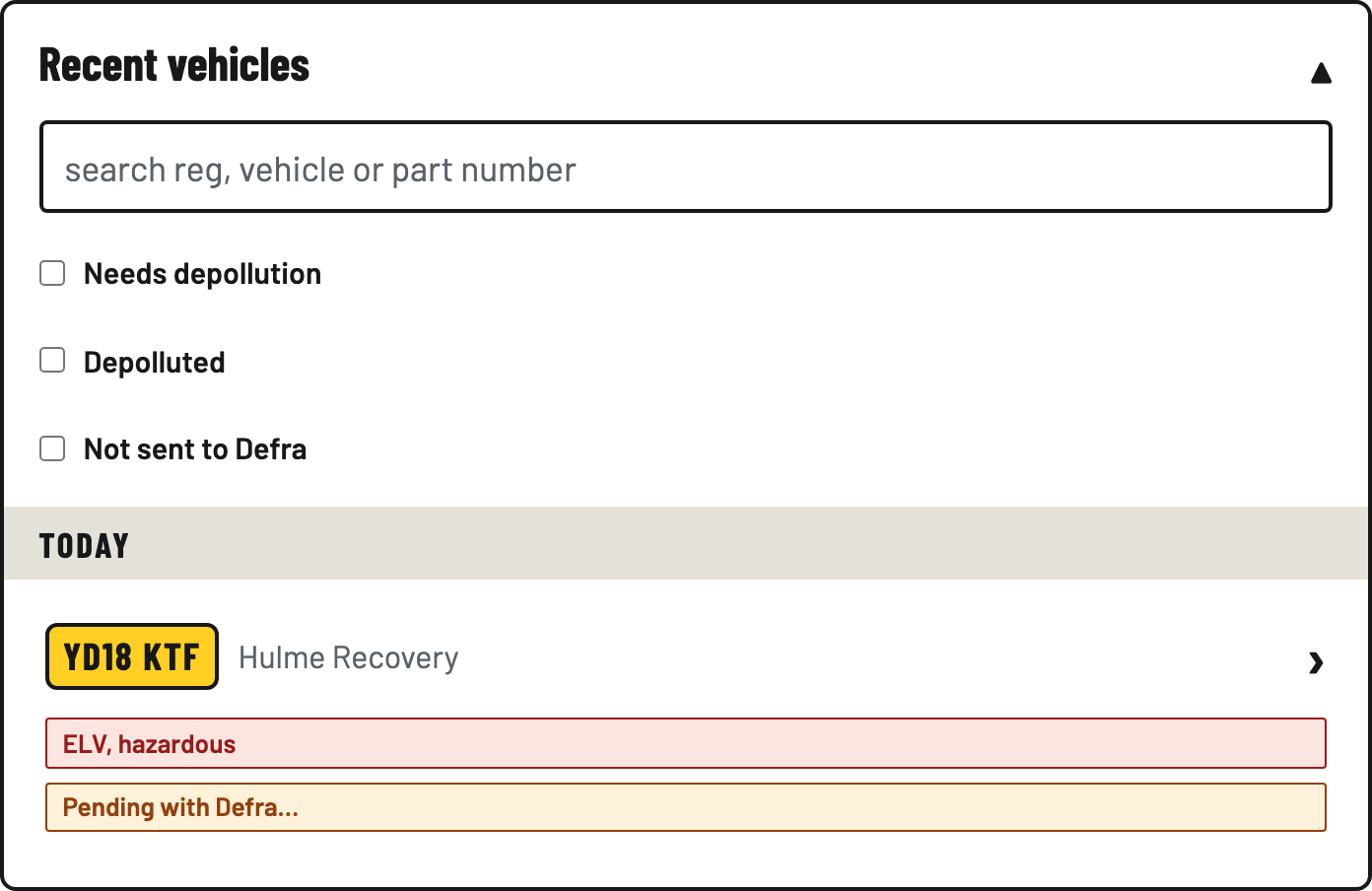
The badge shows Pending with Defra… while the receipt is queued and delivering, then flips to accepted with Defra's reference. Every state says what's happening in plain words. If a badge ever leaves you guessing, that's a bug and we want to know.
- Or review it from the vehicle screen
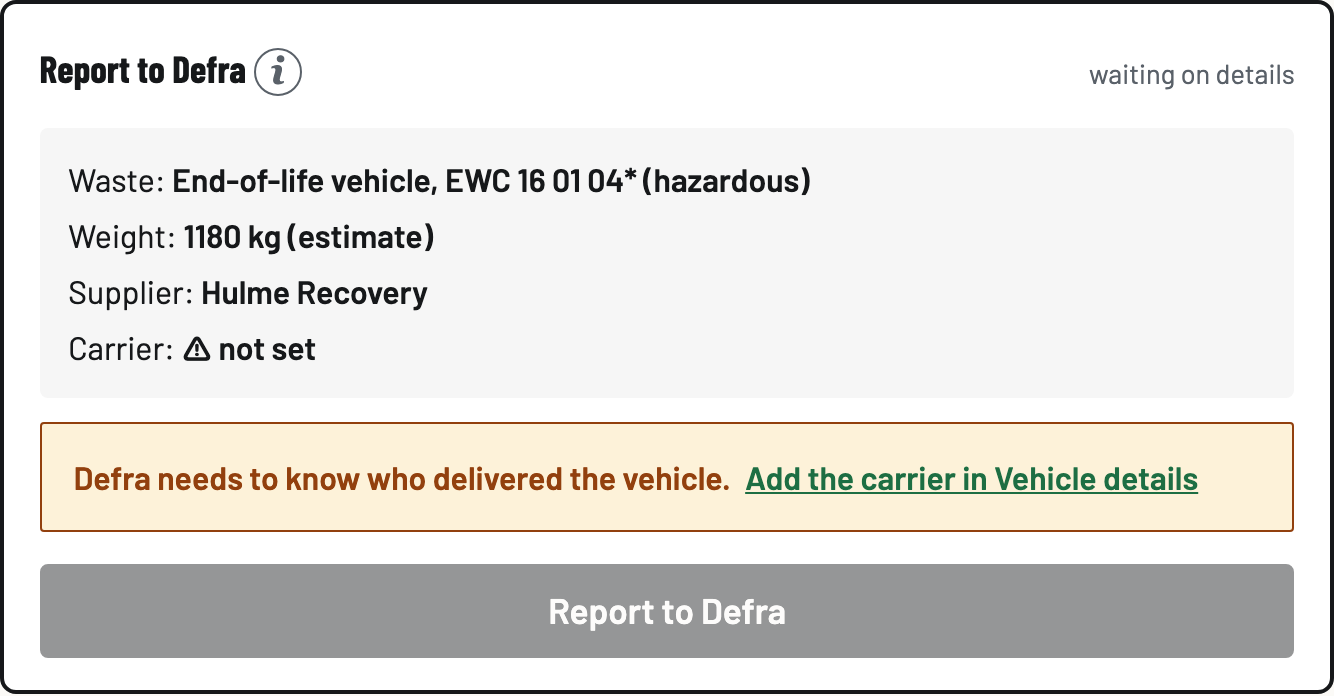
Prefer to see what's in the envelope? Open the vehicle. Report to Defra sits near the top, straight under Vehicle details, because it's the one step with a legal deadline on it. It shows exactly what will be sent, and the Report to Defra button asks "Send this receipt to Defra now?" before anything leaves.
- Fix a named gap
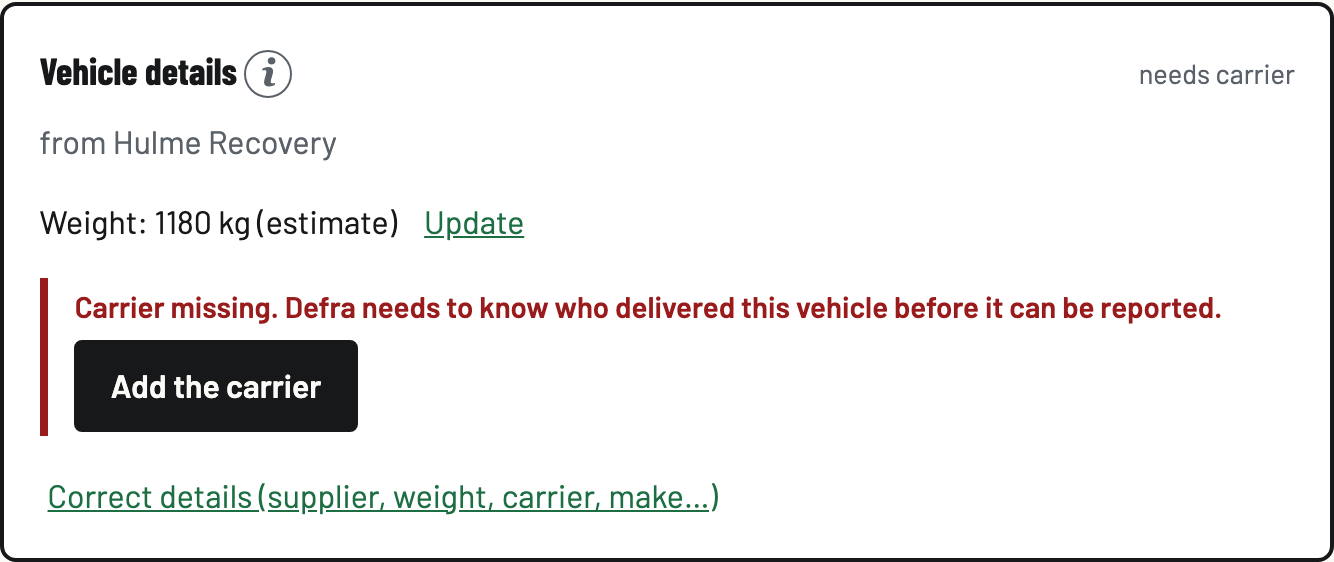
If something Defra needs is missing, the vehicle screen names it: Carrier missing with an Add the carrier button, or Weight missing with Record the weight. Tap the button, fill the one thing, done.
- Correct and resubmit if needed
Defra bounced it? The badge says why. Fix the named field and tap Re-send to Defra. Changed a weight or supplier after acceptance? The vehicle shows it and offers a resubmission. Corrections go to Defra as new records and stay on your evidence trail. Nothing is ever erased.