Depollute and reclassify a vehicle
Depollution is the legal treatment step, and the evidence of it is what an inspector asks for. Tick as you work. BreakerHQ handles the record, the timestamps, and the hazardous → non-hazardous reclassification.
- Open the vehicle
Tap the car in Recent vehicles (or the Vehicles tab: tick Needs depollution to see what's waiting), then scroll to the Depollution checklist at the bottom of the vehicle screen. It sits last because it's the one step with no legal deadline on it.
- Tick steps as you do them
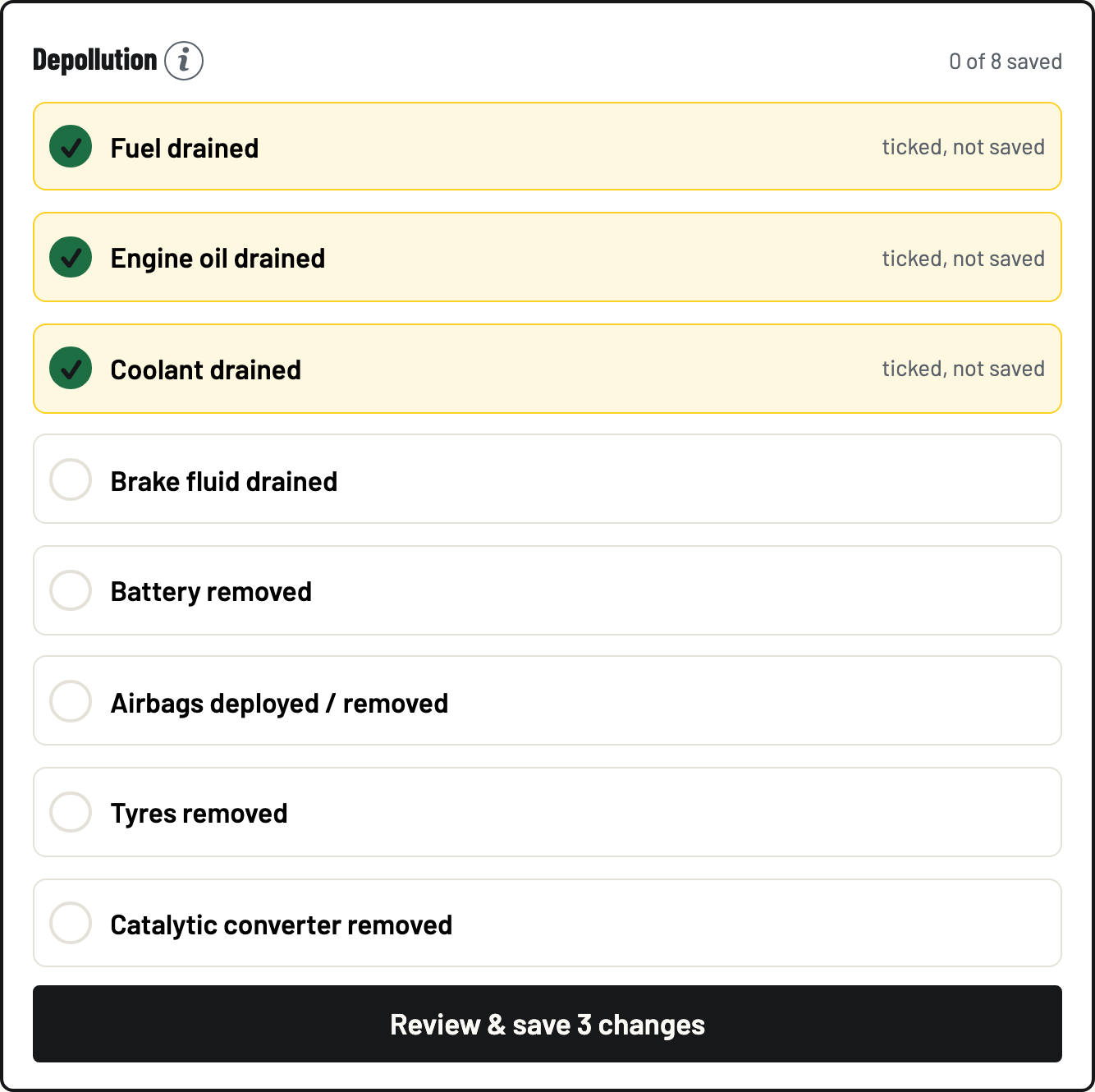
The eight steps: Fuel drained, Engine oil drained, Coolant drained, Brake fluid drained, Battery removed, Airbags deployed / removed, Tyres removed, Catalytic converter removed. Ticks are drafts (each shows ticked, not saved), so nothing is recorded until you say so, and a dead battery loses nothing.
- Review and save
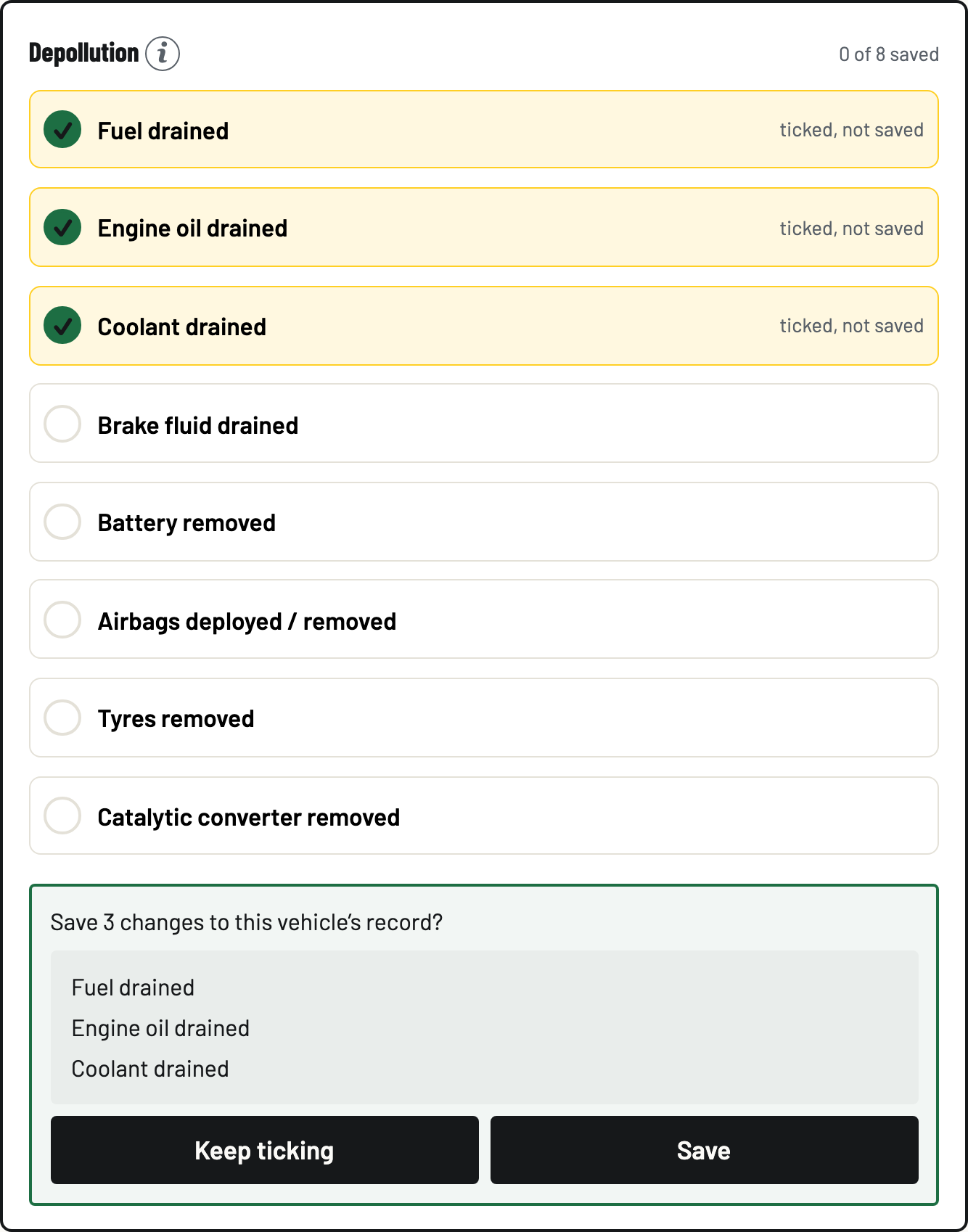
Tap Review & save, check the list is what you actually did, and tap Save. Each saved step is timestamped and attributed. That's your evidence, built as you work.
- The last step reclassifies the car
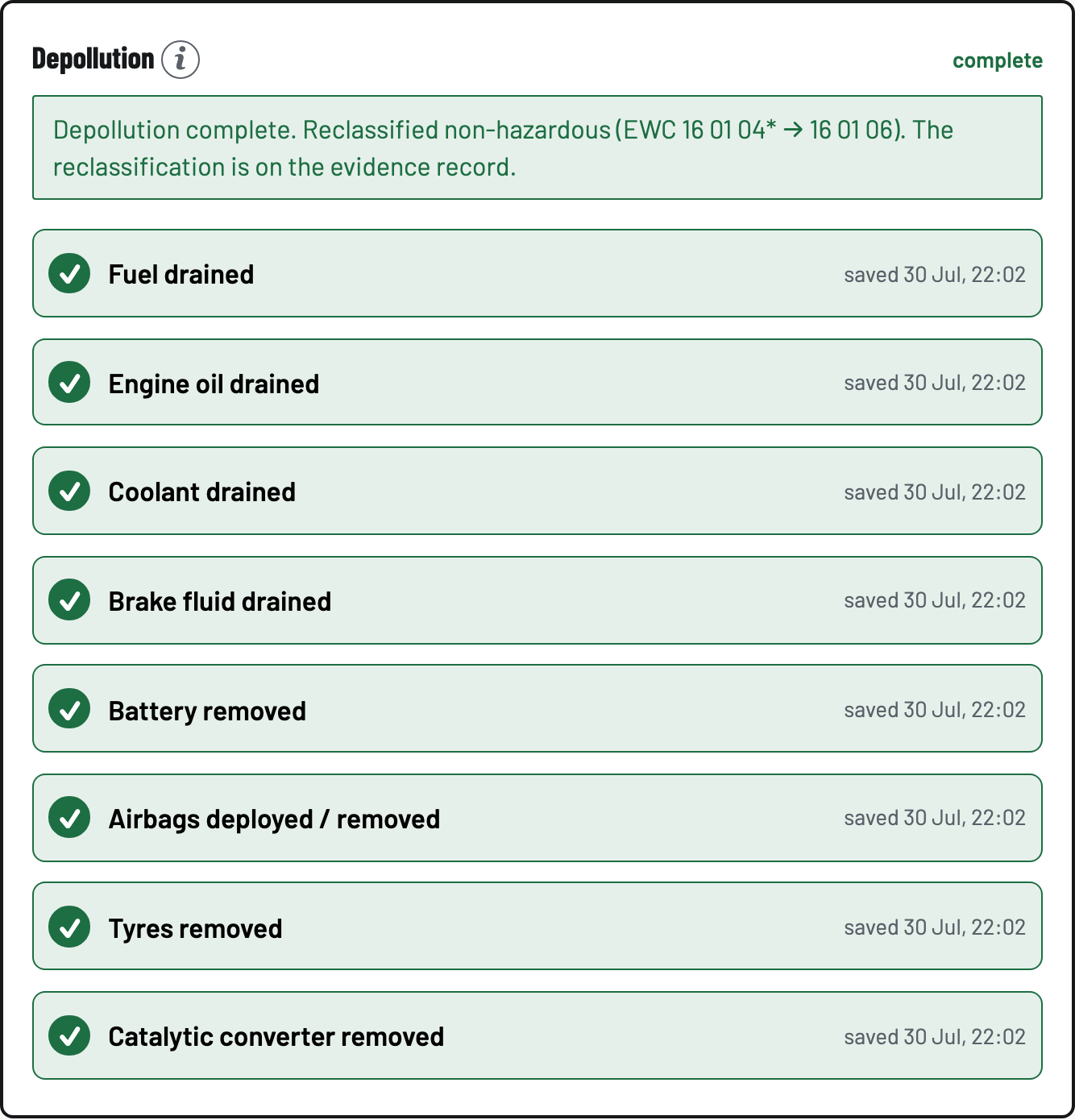
Saving the eighth step records the legal moment: Depollution complete, reclassified non-hazardous (EWC 16 01 04* → 16 01 06). The reclassification and its evidence commit together. One can't exist without the other.
- Undo is the same experience
Ticked something by mistake? Tap the saved step. It stages an untick (unticked, not saved). Then Review & save. The review spells out that it's a recorded correction, and that unticking a completed car takes it back to hazardous. Honest records cut both ways.